Autonomous
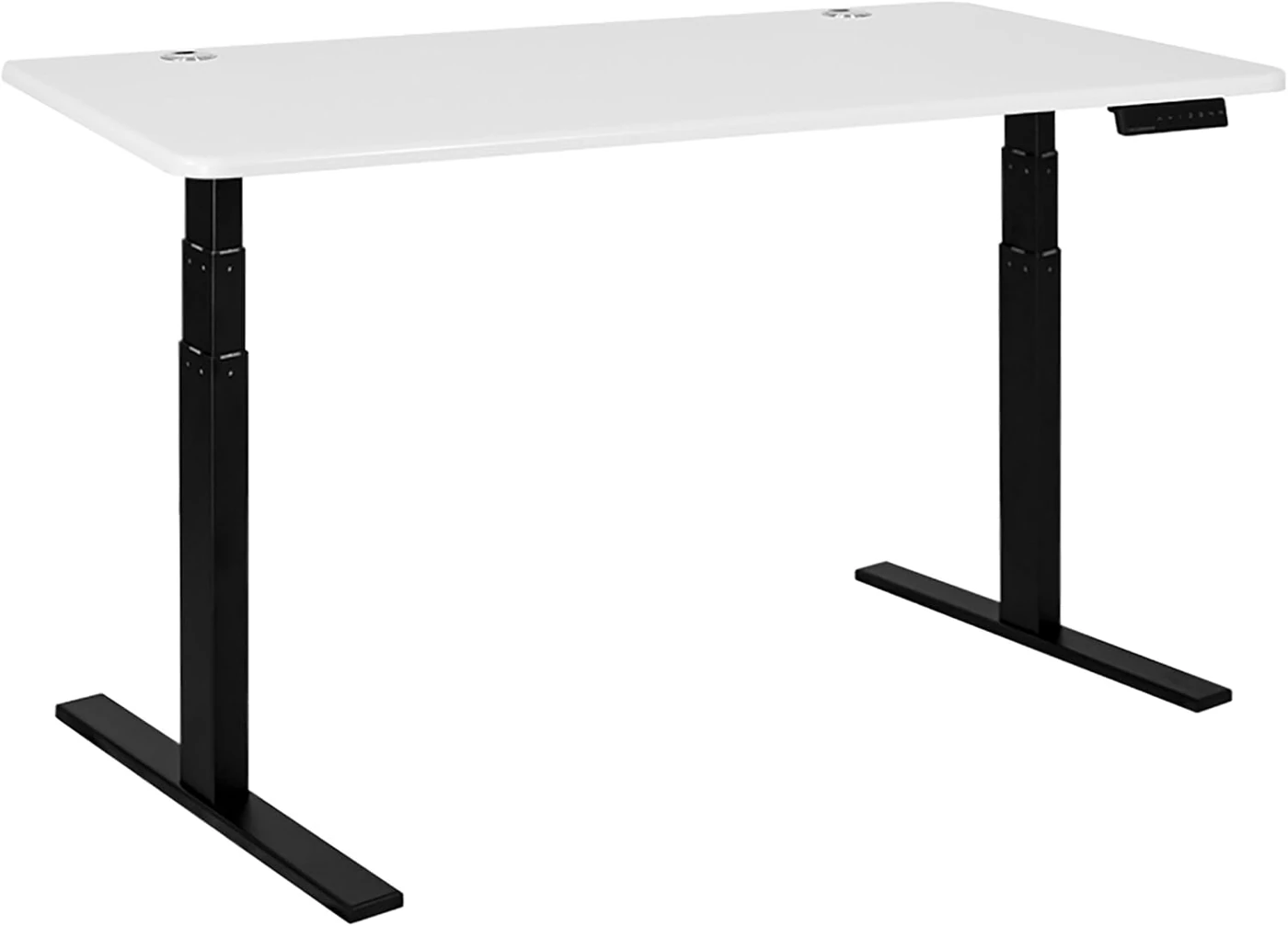
Autonomous SmartDesk Core — 53 in, Solid White Top / Black Frame
Electric sit-stand desk with a 53-inch solid-white top, black dual-motor frame, and four programmable height presets.
Buy on Amazon →Affiliate link — same price for you, supports Switcheroom.
Pros & Cons
What we like
- Exact 53-inch desktop
- programmable presets
- dual-motor adjustment
Watch out for
- Heavy two-person assembly; solid-white top can show scuffs
Renter-Safe Verified
This product can be used, installed, or placed without drilling, nailing, or permanently modifying your rental. When you move out, it comes with you — and your deposit stays intact.
A laptop, monitor, and paperwork can consume a fixed-height desk long before the room itself feels crowded. This electric sit-stand desk is a practical fit for a dedicated apartment work zone because its 53-inch top is large enough for a normal computer setup without becoming a conference table. The editorial verdict is straightforward: it is a sensible midrange choice when programmable height changes matter more than luxury materials. It is not the right buy if you need a desk that can be moved casually, assembled alone without handling heavy parts, or kept perfectly rigid at its highest position.
Who It Is For—and Who Should Skip It
The SmartDesk Core suits a remote worker who alternates between sitting and standing, shares a desk with someone of a different height, or wants saved positions instead of holding an up/down button every time. Autonomous documents a dual-motor frame and programmable controls, while the 53-inch top is the more apartment-manageable choice in the line. Skip it if your room must return to living-room duty every evening: this is powered furniture, not a folding desk. Very tall users who are especially sensitive to monitor movement should also compare stability at their working height rather than buying on maximum-height figures alone.
What Product Details and Buyer Feedback Reveal
Manufacturer-specified details: Autonomous identifies the SmartDesk Core as an electric dual-motor desk with programmable presets. Its current product and support material show a conventional two-leg frame, control handset, power components, and a top that bolts to the frame. The official assembly guide is the most useful source because it makes clear that installation involves more than attaching four legs.
Feedback pattern: independent reviews repeatedly value the useful desktop area and everyday sit-to-stand operation, but they also call out the weight of the top and steel frame during assembly. Reports on stability are more nuanced than marketing summaries: the desk is generally treated as suitable for normal office loads, while movement becomes more noticeable as an adjustable two-leg desk rises. That trade-off matters more for a monitor on a tall stand than for a laptop.
Desktop size should be judged against the actual equipment rather than a marketing room photo. A deep monitor base, large speakers, and a desktop computer can crowd a 53-inch surface quickly, while a laptop and one monitor leave useful writing space. Measure the equipment footprint and locate the control handset and cable path before assembly. Adding a monitor arm can recover area, but its clamp compatibility and leverage need to be checked independently.
Renter and Apartment Fit
| Apartment question | Fit | Reason |
|---|---|---|
| Does it attach to the building? | Good | It is freestanding and needs only a suitable power outlet. |
| Can it move between leases? | Fair | It can be disassembled, but the heavy top and frame make relocation a two-person job. |
| Does it suit a small office? | Good with measuring | The 53-inch top is compact for a full desk, but chair clearance and standing space still matter. |
There is no wall damage risk in normal use. The renter cost is logistical: protect floors during assembly, keep the hardware and instructions, and budget effort for the next move. A surge protector may help cable routing, but it does not replace an accessible grounded outlet.
Setup Reality and Common Failure Modes
Assembly requires following the model-specific guide, fastening the frame and electronics to the top, connecting the motors and handset, then turning the completed desk upright. A second adult is the safer approach because the assembled parts are heavy. Common avoidable failures include pinched motor cables, uneven feet on an irregular floor, loose fasteners that amplify wobble, and raising the desk before cables have enough slack. Confirm that monitor and power leads can travel through the full height range before programming positions.
Plan total cost beyond the desk itself. A floor mat may be needed on a delicate rental floor, and moving blankets or professional help may be sensible at lease end. Cable management is not cosmetic on a moving desk: a short display lead or power brick resting on the floor can become the hard stop that pulls equipment from the top.
The honest trade-off is mass: the same substantial components that make this feel like real office furniture make delivery, assembly, and moving harder. Choose a manual converter or compact fixed desk if mobility is the priority; choose the SmartDesk Core when repeatable powered adjustment is the feature you will use every workday.
Last checked: 2026-07-27. Sources: Autonomous product page, Autonomous assembly instructions, and independent review.Best For
- Apartment home office for a hybrid worker
- Bedroom work zone for a renter
- Shared study used by people of different heights
- Dedicated office for a sit-stand routine
Setup & Install
Assembly requires fastening the frame, motors, control handset, and top with the hardware shown in the official guide; use the specified hex key and screwdriver steps rather than improvising. Two adults should handle the heavy parts and turn the desk upright. It is freestanding and leaves no wall holes, but it needs an accessible power outlet and enough cable slack for the full height travel.
FAQ
Is the Autonomous SmartDesk Core a good apartment desk?
Yes, when a 53-inch top fits the measured work zone and the desk can remain assembled. It does not attach to the wall, but its heavy powered frame is less convenient for frequent room changes or moves than a lightweight fixed desk.
Can one person assemble the SmartDesk Core?
The official guide lays out a standard bolted assembly, but independent reviews emphasize that the top and steel components are heavy. A second adult is the safer choice for positioning the parts and turning the completed desk upright.
Why does a standing desk wobble more when raised?
Any two-leg adjustable frame gains leverage as it rises. Tight hardware, level feet, sensible monitor placement, and keeping the load centered can reduce movement, but buyers who type at maximum height should compare stability directly.
What should be checked before programming desk heights?
Route power, monitor, and accessory cables with enough slack for the entire travel range. Check that nothing catches under the top, then follow the Autonomous control instructions for saving preferred sitting and standing positions.