FLEXISPOT
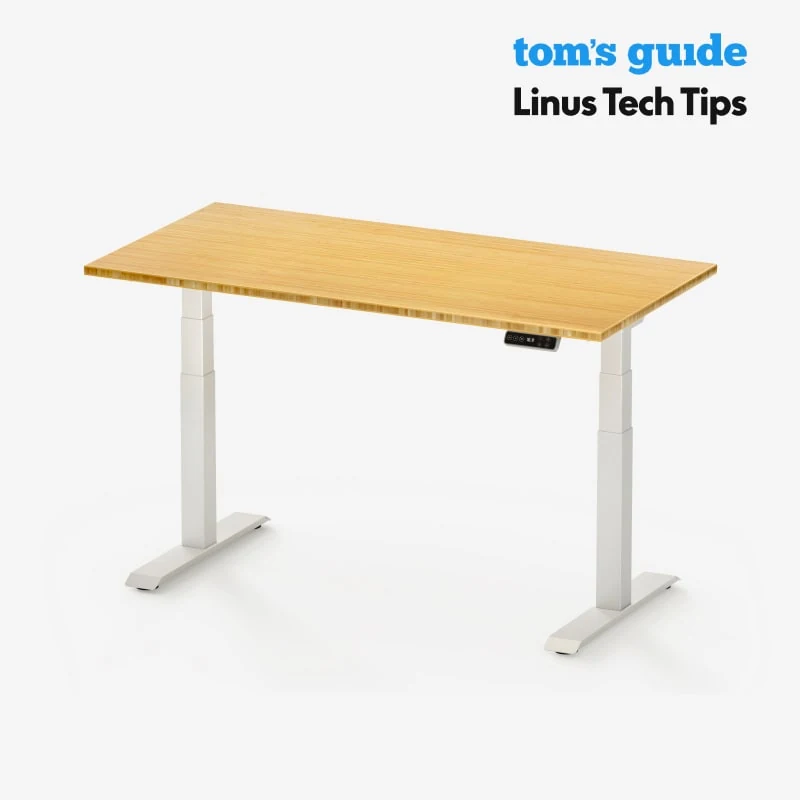
FLEXISPOT E7 Standing Desk Frame
Electric sit-stand frame. 48-72 inch width range. No permanent installation — just plug in. Take it when you move.
Buy on Amazon →Affiliate link — same price for you, supports Switcheroom.
Renter-Safe Verified
This product can be used, installed, or placed without drilling, nailing, or permanently modifying your rental. When you move out, it comes with you — and your deposit stays intact.
A fixed desk becomes the wrong height twice: once when sitting posture changes and again when it is time to stand. The E7 frame is the structural and motorized part of a sit-stand desk, intended for buyers who want to choose or reuse a compatible desktop rather than accept a bundled top. The editorial verdict is that its dual-motor, stability-focused design makes sense for a serious home workstation, but this is a furniture project—not a plug-in accessory.
Who It Is For—and Who Should Skip It
It is for remote workers, taller or shorter partners sharing one workstation, and renters who want powered height adjustment without attaching furniture to the building. FlexiSpot lists the E7 with a C-shaped frame, dual motors, a 22.8-to-48.4-inch frame height range without a top, an advanced control panel, and a 15-year warranty. Skip it if lifting heavy frame components and fastening a desktop is not realistic, if the existing top cannot accept the required screws, or if a compact room cannot tolerate the feet and cable travel. A complete preassembled desk is the better cue for buyers who do not want to source and drill a top; a manual converter is simpler for occasional standing.
What Product Details and Buyer Feedback Reveal
Official material emphasizes stability at the high setting, multiple height presets, a sit-stand reminder, and an adjustable frame intended to support different desktop choices. The frame-only distinction matters: desktop material, depth, thickness, fastener placement, and overall span must be checked before purchase. Do not infer compatibility from width alone or reuse screws that are too long for the selected top.
Independent reviews regularly praise the E7 family for stability and programmable movement relative to lighter budget frames. They also flag the natural costs of a robust structure: heavy components, more involved assembly, and visible cable-management work. Even a stable two-leg desk can show more monitor movement at standing height than at sitting height, particularly on a springy floor or with an arm mounted far from the center. Buyer feedback should be read as a pattern, not a universal result for every desktop and load arrangement.
Renter and Apartment Fit
| Apartment issue | Fit | Decision check |
|---|---|---|
| Wall or floor damage | No building attachment | The frame stands on its own, but the desktop must be screwed to the frame. |
| Moving | Reusable but heavy | Plan to partially disassemble rather than carry the complete desk through tight halls. |
| Shared workspace | Strong fit | Memory positions reduce repeated manual adjustment for multiple users. |
| Noise downstairs | Manageable | Level the feet and keep cables clear; do not let the frame strike furniture while moving. |
Setup Reality and Common Failure Modes
Use the current E7 manual and the specified hardware. Assembly involves joining the frame, legs, feet, control components, and desktop; a second adult is sensible for handling and flipping the finished desk. Confirm screw length against the desktop before drilling, support the top on a protected flat surface, square the frame, and leave slack for every cable across the full travel range. Plug the desk directly into an appropriate power source according to FlexiSpot's instructions and complete any required reset or initialization before loading the workstation.
Common failure modes include a frame mounted off-center, screws penetrating or failing to grip the desktop, loose fasteners that produce movement, feet that are not leveled, cables pulled tight at maximum height, and stored presets that collide with a windowsill or shelf. Anti-collision functions are a backup, not permission to ignore obstacles. Recheck fasteners after initial use and whenever the desk is moved.
The honest trade-off is total project cost and labor. A frame-only price does not include every suitable desktop, drill bit, cable tray, power management part, or the effort of moving a heavy assembly. If those inputs are already available, the E7 offers a configurable path. If not, compare the delivered cost of a complete desk before assuming frame-only is the cheaper decision.
Last checked: 2026-07-27. Sources: FlexiSpot E7 specifications, official frame-only page, E7 installation manual, and independent standing-desk review.Best For
- Rental home office for full-time remote workers
- Shared apartment workstation for two heights
- Bedroom office needing sit-stand flexibility
- Creative studio desk with a chosen custom top
Setup & Install
Assembly requires the current E7 instructions, supplied frame hardware, and tools appropriate to the selected desktop; verify screw length and desktop compatibility before drilling. Two-person handling is sensible when positioning and flipping the heavy assembly. The frame needs no wall or floor attachment, but the desktop is permanently fastened to it, and all power and device cables need enough slack for full height travel.
FAQ
Does the FLEXISPOT E7 frame include a desktop?
This listing is for the frame-only configuration. A compatible desktop and any top-specific drilling or fasteners must be planned separately; verify the current FlexiSpot compatibility guidance before buying.
Is the E7 suitable for a rental apartment?
It does not attach to the wall or floor, so it can move with a renter. The trade-off is weight and partial disassembly during a move, plus screw holes in the desktop itself.
What height range does FlexiSpot list for the E7?
FlexiSpot lists the frame at 22.8 to 48.4 inches without a desktop. The final work-surface height depends on the selected top.
Why can a standing desk still wobble?
Movement can come from loose hardware, an off-center or flexible top, unlevel feet, high-mounted monitor arms, floor flex, or the greater leverage at standing height. Correct assembly and balanced equipment placement matter.
What should be checked before saving height presets?
Move the desk through its full path and confirm that cables, shelves, windowsills, chairs, and storage do not obstruct it. Anti-collision protection should not replace a clear travel path.