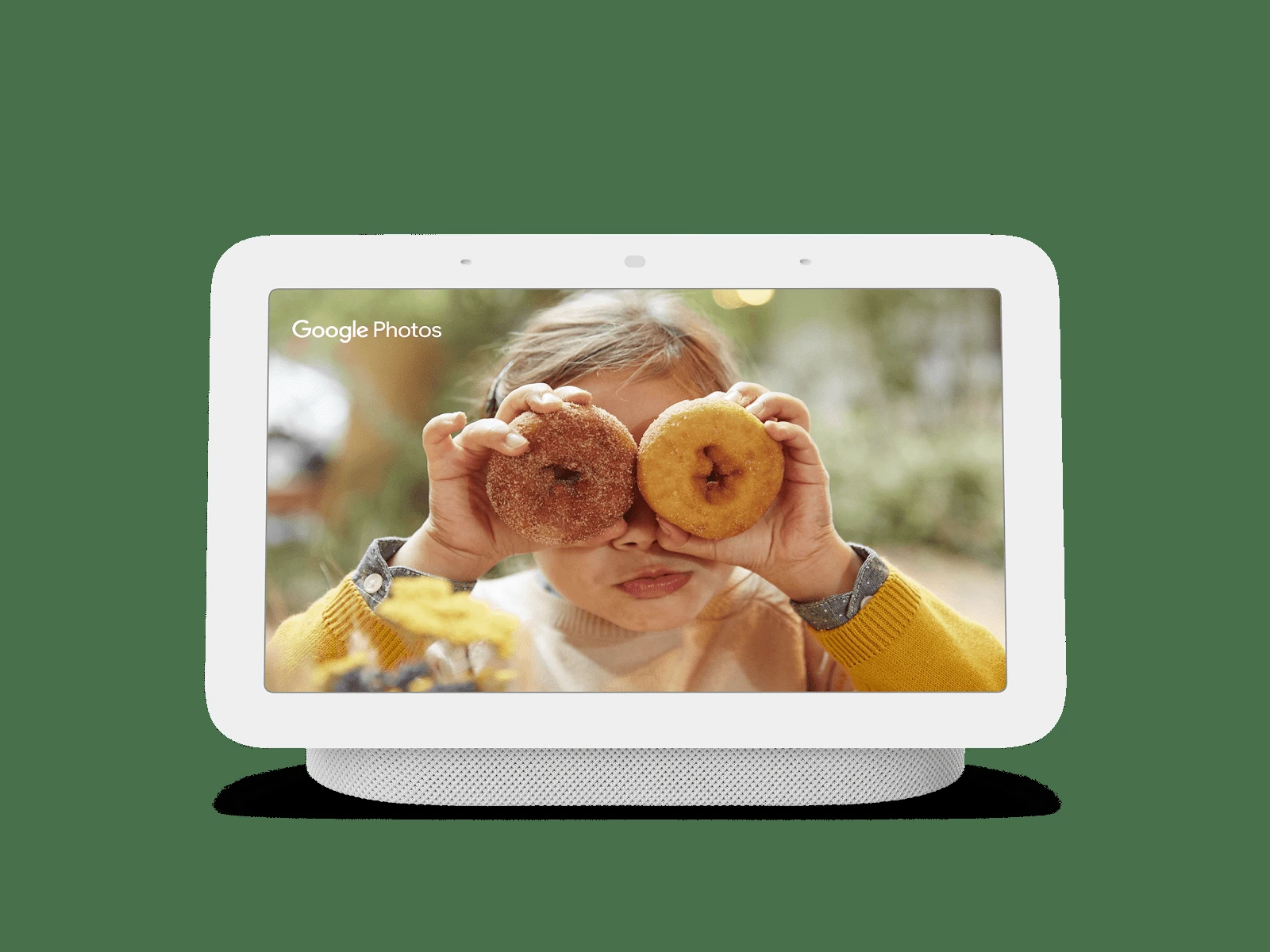
Google Nest Hub (2nd gen) — Chalk
Google Nest Hub (2nd gen) smart display in the exact Chalk finish, with a 7-inch touchscreen, camera-free design, Google Home controls, timers, media, and optional motion-based Sleep Sensing.
Buy on Target →Affiliate link — same price for you, supports Switcheroom.
Pros & Cons
What we like
- No camera; compact 7-inch display; Google Home controls; optional Sleep Sensing
Watch out for
- Requires power
- Wi-Fi
- and a Google account; not a dedicated hi-fi speaker; no conventional video calls
Renter-Safe Verified
This product can be used, installed, or placed without drilling, nailing, or permanently modifying your rental. When you move out, it comes with you — and your deposit stays intact.
A bedside display can solve the familiar apartment problem of needing an alarm, smart-home controller, weather screen, and photo frame without lining up four devices on a narrow nightstand. The Google Nest Hub (2nd gen) in Chalk is most convincing for a household already using Google Home: its screen makes timers, routines, compatible cameras, music controls, and visual answers easier to understand than voice-only commands. It is also a sensible kitchen helper when hands are occupied. It is not the right buy for someone who primarily wants room-filling music, video calls, or a platform-neutral smart-home dashboard.
Who It Is For—and Who Should Skip It
Choose it for a bedroom, kitchen, or small living area where glanceable information matters more than high-fidelity audio. Google specifies a 7-inch 1024-by-600 touchscreen, and the device has no camera. That camera-free design is useful in a bedroom, but it also means there are no conventional video calls. People who avoid always-listening assistants, do not use a Google account, or have incompatible smart-home gear should skip it. A basic digital alarm plus a separate speaker will also be simpler for anyone who does not need the display.
What Product Details and Buyer Feedback Reveal
Official facts: Google says the second-generation speaker provides more bass than the original Nest Hub, while the display supports media, photos, routines, and compatible home controls. Optional Sleep Sensing uses motion sensing rather than a camera. Google cautions that the feature is not a medical tool and that placement, another person, pets, or nearby noise can affect readings.
Feedback pattern: Retailer feedback repeatedly values the addition of a screen for doorbell views, photos, and everyday queries, especially in homes already committed to Google services. The recurring reservation is value at full price, while independent audio assessment describes the sound as adequate rather than a substitute for a dedicated speaker. Sleep tracking is similarly divisive: the hands-free idea is convenient, but both Google guidance and editorial testing show that room layout can matter.
Renter and Apartment Fit
| Question | Apartment reality |
|---|---|
| Does it alter the room? | No mounting or adhesive is required; it sits on furniture and needs power. |
| What does it depend on? | A stable Wi-Fi connection, a Google account, the Google Home app, and compatible services or devices. |
| Is it bedroom-friendly? | There is no camera, but microphones and optional motion-based Sleep Sensing still deserve a privacy decision. |
| Can it move with you? | Yes. Reset it before handing it to another person or leaving a shared home. |
The deposit risk is essentially limited to a cable snag or a mark from whatever surface it rests on. In a shared apartment, agree on household access and personal results before enabling Sleep Sensing or shared-home controls.
Setup Reality and Common Failure Modes
Place the Hub on a dry, stable surface near an outlet, power it on, and complete Wi-Fi, room, and service setup in the Google Home app. Sleep Sensing requires additional calibration and appropriate bedside positioning. Common frustrations are not physical installation failures but account permissions, weak Wi-Fi, unsupported devices, and inaccurate sleep results caused by placement or activity around the bed. Do not treat its wellness summary as diagnosis or medical advice.
The honest trade-off is specialization: it is a useful visual layer for Google Home, not the strongest speaker and not a camera-equipped communication screen. If music quality is the priority, compare a dedicated smart speaker; if private, offline alarm functions are the priority, choose a conventional clock.
Last checked: 2026-07-27. Sources: Google Store technical specifications, Google Sleep Sensing guidance, and Best Buy customer feedback.Best For
- Renter bedroom with Google Home routines
- Apartment kitchen needing hands-free timers
- Small living room with a compatible video doorbell
- Shared home photo frame and calendar station
Setup & Install
No mounting or tools are required; set the exact Chalk display on a dry, stable surface near an outlet and configure it through the Google Home app over Wi-Fi. Optional Sleep Sensing needs bedside placement and calibration, and nearby people, pets, or noise can reduce accuracy. The unit leaves no wall damage, but reset account and home access before moving out or transferring it.
FAQ
Does the Google Nest Hub 2nd gen have a camera?
No. The second-generation Nest Hub does not have a camera, so it is not a conventional video-calling display. Optional Sleep Sensing uses motion sensing, and the device still has microphones for voice commands.
Can renters use a Nest Hub without mounting anything?
Yes. It is a countertop or bedside device that only needs a stable surface, power, Wi-Fi, and setup in the Google Home app. No screws or adhesive are involved.
Is Nest Hub Sleep Sensing a medical sleep test?
No. Google says it is not intended to diagnose or treat a condition. Placement, another person, pets, and nearby noise can affect the results.
Is the Nest Hub 2nd gen a good music speaker?
It is suitable for casual listening and Google specifies more bass than the original model, but independent assessments do not position it as a replacement for a dedicated room speaker.