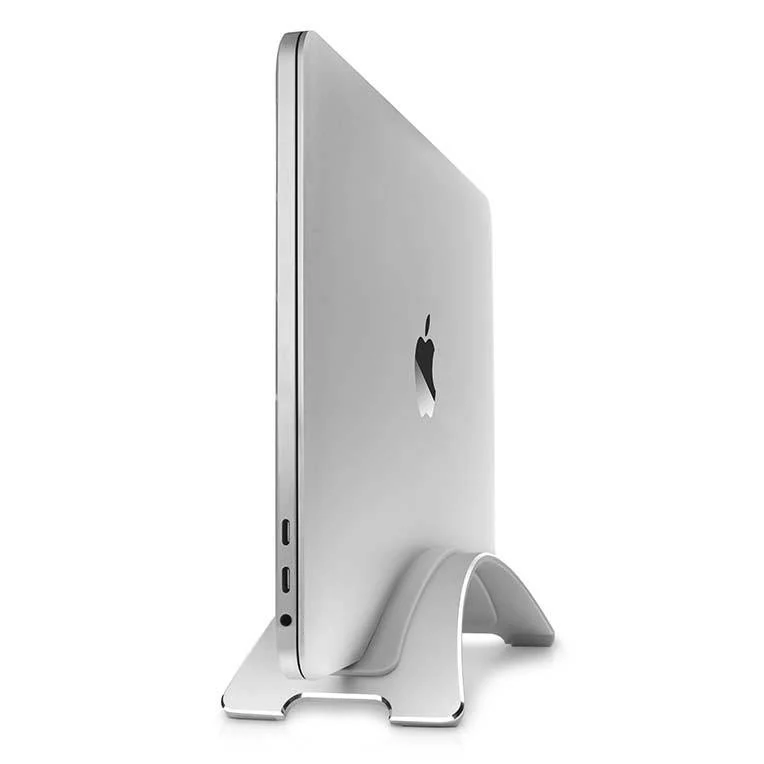
Twelve South
Twelve South BookArc for MacBook
Vertical stand for clamshell MacBook setup. Silicone inserts for different models.
Buy on Amazon →Affiliate link — same price for you, supports Switcheroom.
Pros & Cons
What we like
- Clean desk
- good airflow
- compact
Watch out for
- Only useful in clamshell mode
Renter-Safe Verified
This product can be used, installed, or placed without drilling, nailing, or permanently modifying your rental. When you move out, it comes with you — and your deposit stays intact.
A closed laptop lying flat can occupy the exact strip of desk needed for a notebook, audio interface, or second keyboard. BookArc stores a compatible MacBook vertically while it drives an external display, turning dead horizontal area into a narrow aluminum footprint. The verdict is positive for a committed closed-display setup, but this is not a universal laptop stand. Skip it if you regularly use the MacBook's own screen or cannot confirm the correct insert for your exact model and case.
Who It Is For—and Who Should Skip It
This stand is for a MacBook user with an external monitor, keyboard, mouse, power connection, and a desk that benefits from every recovered inch. It also works as tidy vertical storage when the notebook is not active. It is renter-friendly because nothing mounts to furniture or walls. A student who opens the laptop throughout the day, a household sharing different non-Mac laptops, or anyone expecting a dock with ports should choose something else: BookArc holds the computer but does not add connectivity.
What Product Details and Buyer Feedback Reveal
Manufacturer-specified details: Twelve South describes the current BookArc as a vertical desktop stand built around replaceable, model-specific inserts. Its support pages maintain compatibility lists for lettered inserts and warn that current inserts do not fit several older BookArc versions. Closed-display operation still requires the normal Mac setup—external display and input devices, plus the connections the specific Mac needs.
Feedback pattern: retailer and independent reviews repeatedly praise the solid aluminum construction, small footprint, non-slip support, and the snug fit when the insert is correct. Fit is also the main complaint. A case can make a listed MacBook too thick for its normal insert, while an insert that is too large allows lean or movement. Buyers also note the obvious limitation after purchase: recovering desk space is useful only when the computer can stay closed.
Renter and Apartment Fit
| Apartment concern | Fit | Decision detail |
|---|---|---|
| Surface damage | Strong | The stand sits on the desk with protective contact points and uses no adhesive or screws. |
| Shared desk | Conditional | Good for one compatible MacBook; insert changes make rapid sharing less convenient. |
| Moving | Strong | It is compact, but keep spare inserts labeled for future MacBook changes. |
There is no permanent installation or deposit risk. The compatibility risk replaces it: identify whether the stand is the current lettered-insert version, remove any thick case before judging fit, and use Twelve South's current support chart. Buying a replacement insert is cheaper than balancing an expensive laptop in the wrong slot.
Setup Reality and Common Failure Modes
No tools are required. Fit the supported insert firmly into the aluminum arc, place the stand on a clean flat desk, lower the closed MacBook into the slot, and route cables so they do not pull sideways. Common failure modes are ordering for the computer name without checking its generation, mixing old numbered and new lettered insert systems, leaving a bulky shell case on, and connecting a stiff cable that tips or twists the notebook.
The honest trade-off is that BookArc is deliberately narrow in purpose. A universal adjustable stand provides better cross-device value; BookArc makes more sense when a known MacBook will spend most work hours closed and the cleaner footprint is worth maintaining exact insert compatibility.
Last checked: 2026-07-27. Sources: Twelve South product page, Twelve South compatibility support, and MacRumors review.Best For
- Apartment desk with a MacBook in closed-display mode
- Studio workstation for a renter using one external monitor
- Small home office for a MacBook owner
- Shared living room desk that needs a clean footprint
Setup & Install
No tools, adhesive, or wall mounting are required. Match the current BookArc version and lettered insert to the exact MacBook using Twelve South's support chart, then seat the insert and place the stand on a clean flat surface. A shell case or mismatched insert can change the fit, and stiff cables should be routed so they do not pull the laptop sideways.
FAQ
Will Twelve South BookArc fit every MacBook?
No. Fit depends on the BookArc generation, the lettered insert, the exact MacBook model, and whether a case is installed. Check Twelve South's current compatibility chart before placing the computer in the stand.
Can a MacBook run while closed in BookArc?
Yes, when the Mac is configured for Apple's closed-display operation with the required external display, keyboard, mouse, power, and model-appropriate connections. BookArc is only a stand; it does not provide a dock or ports.
Is BookArc safe for a rental desk?
It requires no screws or adhesive and leaves the room untouched. Keep the desk and the stand's contact surfaces clean so trapped grit does not mark a delicate desktop finish.
Can BookArc inserts be replaced when the MacBook changes?
Twelve South sells replacement inserts for the current BookArc and publishes model compatibility. Current lettered inserts are not compatible with several older BookArc form factors, so identify the stand generation first.