Philips Hue
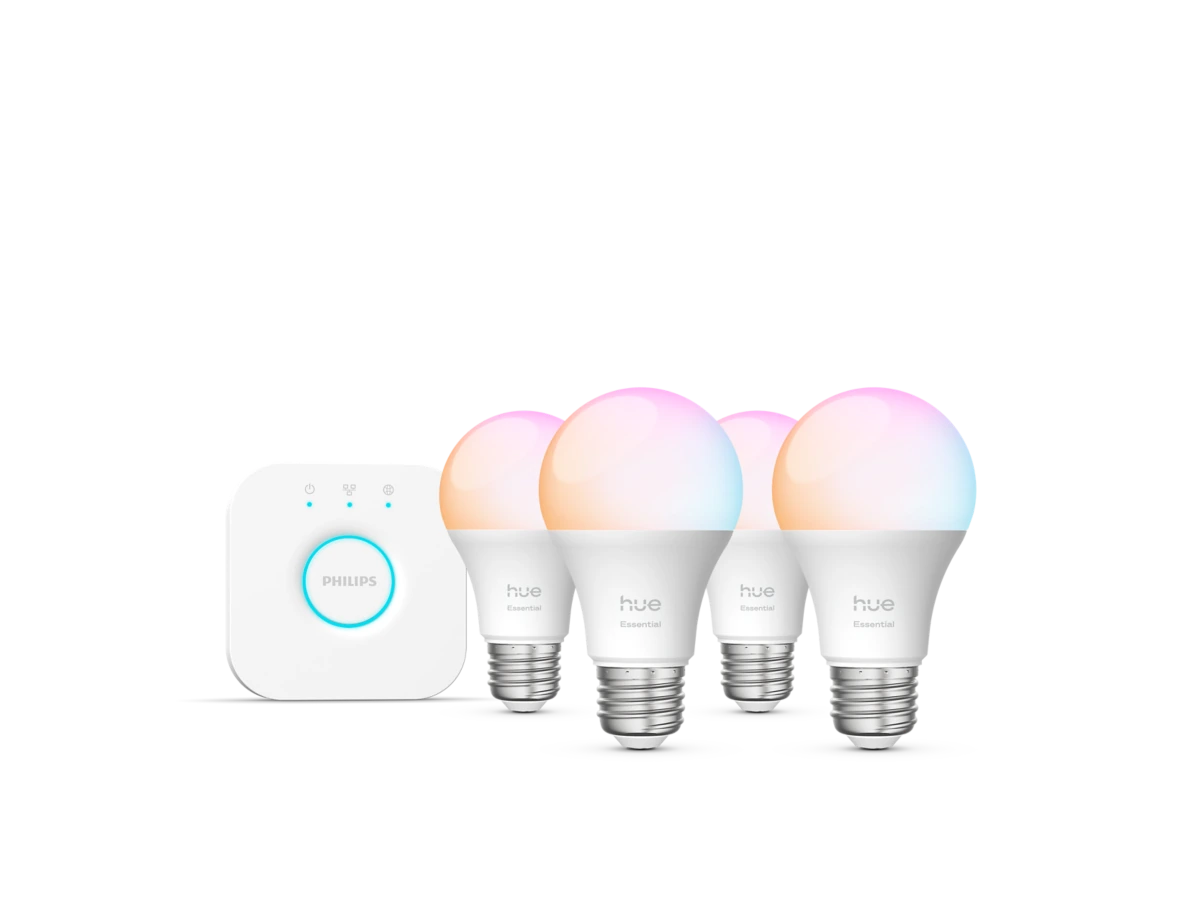
Philips Hue Essential Starter Kit — 4 E26 Color Bulbs + Hue Bridge
A current four-bulb Philips Hue Essential kit with four 800-lumen E26 color bulbs and the standard Hue Bridge for app, schedule, scene, and voice control without changing rental fixtures.
Buy on Amazon →Affiliate link — same price for you, supports Switcheroom.
Pros & Cons
What we like
- Four color-capable bulbs and Bridge in one exact kit; 2200–6500K tunable white; dims to 2%; mature app
- scene
- schedule
- and major voice-assistant support
Watch out for
- Bridge needs power and a wired router port; 800 lumens per bulb may be modest for task lighting; costs more than basic Wi-Fi bulbs; one exact-listing buyer reported a stubborn Bridge connection failure
Renter-Safe Verified
This product can be used, installed, or placed without drilling, nailing, or permanently modifying your rental. When you move out, it comes with you — and your deposit stays intact.
Verdict: This is the sensible Hue entry point for a renter who wants coordinated lighting in several lamps without replacing switches or installing permanent hardware. Product 046677608989 contains four Essential A19/E26 bulbs and the standard Hue Bridge. Philips lists each bulb at up to 800 lumens, with white light from 2200K to 6500K, color output, and dimming down to 2 percent. The current official price is $119.99, close to the old row's budget while providing a fully identifiable, in-stock kit.
Who It Is For—and Who Should Skip It
Choose it for a living room, bedroom, or open-plan apartment where four existing E26 fixtures can work as one scene. It makes particular sense if schedules, remote control, or Alexa, Google Assistant, Apple Home, and Samsung SmartThings integration matter. Skip it if one inexpensive Wi-Fi bulb would solve the problem, if the router has no spare Ethernet port, or if 800 lumens is too low for the room's primary task light. Buyers planning screen-synced entertainment lighting should also compare the Essential line's limitations with higher-tier Hue bulbs before committing.
Product Details and Buyer Feedback
The exact Amazon listing was in stock when checked and showed 4.5 out of 5 stars from 118 ratings. Accessible verified-purchase comments repeatedly praised quick setup, reliable schedules, color range, and straightforward Google Home pairing. That is encouraging, but not universal: one buyer described repeated factory resets when the Bridge would not connect, and another received an opened box with the Bridge missing before a replacement resolved it. Those reports make a complete-box check and a calm first setup more useful than assuming every installation will be instant.
| Detail | Verified specification |
|---|---|
| Kit | Four Essential E26 bulbs plus Hue Bridge |
| Brightness | Up to 800 lumens per bulb |
| White range | 2200K–6500K |
| Dimming | Down to 2 percent in the Hue system |
| Official product ID | 046677608989 |
Renter and Apartment Fit
No wall holes, adhesive, or electrical rewiring are required. The bulbs screw into compatible E26 sockets, and the Bridge sits near the router. Both can move to a new apartment, so the installation itself is deposit-safe. The practical rental caveat is behavioral: wall switches must stay on for app and automation control, which can confuse guests or housemates. Keep the original bulbs labeled in a box for move-out, and verify that enclosed fixtures accept the bulb shape before ordering.
Setup Reality and Common Failure Modes
Philips instructs users to power the Bridge, connect it directly to a router with the included Ethernet cable, add it in the Hue app, then install and discover the bulbs. No hand tools are needed, but safe bulb replacement still means switching the fixture off and letting hot bulbs cool. If discovery fails, first confirm that the lamp switch is on, the Bridge has power and Ethernet, and the phone is using the intended home network. A missing Bridge, an occupied router port, an incompatible socket, or a bulb behind a switched-off wall control can stop the setup before scenes and schedules matter.
Honest Trade-Off and Alternative Cue
The trade-off is paying for a hub-based ecosystem. That cost buys centralized routines, a broad Hue accessory path, and less dependence on four separate direct-to-Wi-Fi connections, but it also adds a box and cable beside the router. Renters who only need basic on/off and dimming should compare a cheaper no-hub four-pack. Buyers who want brighter task lighting or the most advanced entertainment synchronization should compare higher-output or non-Essential Hue models rather than assuming every Hue bulb has identical capabilities.
Last checked July 28, 2026. Evidence: Philips Hue product page, exact Amazon US listing, and Philips Hue starter-kit setup guide.Best For
- Rental living room with four lamps
- Apartment bedroom lighting routines
- Voice-controlled open-plan studio
- Move-friendly smart lighting starter system
Setup & Install
No hand tools or permanent mounting are required. With fixture power off and old bulbs cool, screw the four bulbs into compatible E26 sockets; then power the Bridge, connect it to an available router LAN port with the included Ethernet cable, and finish setup in the Hue app. Keep the original bulbs for move-out and leave wall switches on for smart control.
FAQ
Does the Philips Hue Essential four-bulb starter kit include a Bridge?
Yes. Exact product 046677608989 includes four Essential E26 color-capable bulbs and one standard Hue Bridge.
Can renters install this Philips Hue kit without changing switches?
Yes. The bulbs use compatible E26 sockets and the Bridge sits by the router, so no drilling or rewiring is required. Keep the original bulbs and leave fixture switches on for app control.
How bright are the Essential bulbs in this starter kit?
Philips rates each bulb at up to 800 lumens. That is useful for ambient lighting, but a room that relies on one fixture for detailed task work may need a brighter bulb or additional lamp.
Does the Hue Bridge connect to the router wirelessly?
The standard setup uses the included Ethernet cable between the Bridge and an available router LAN port, plus the Bridge's power adapter.